What does Privacy Display actually offer?
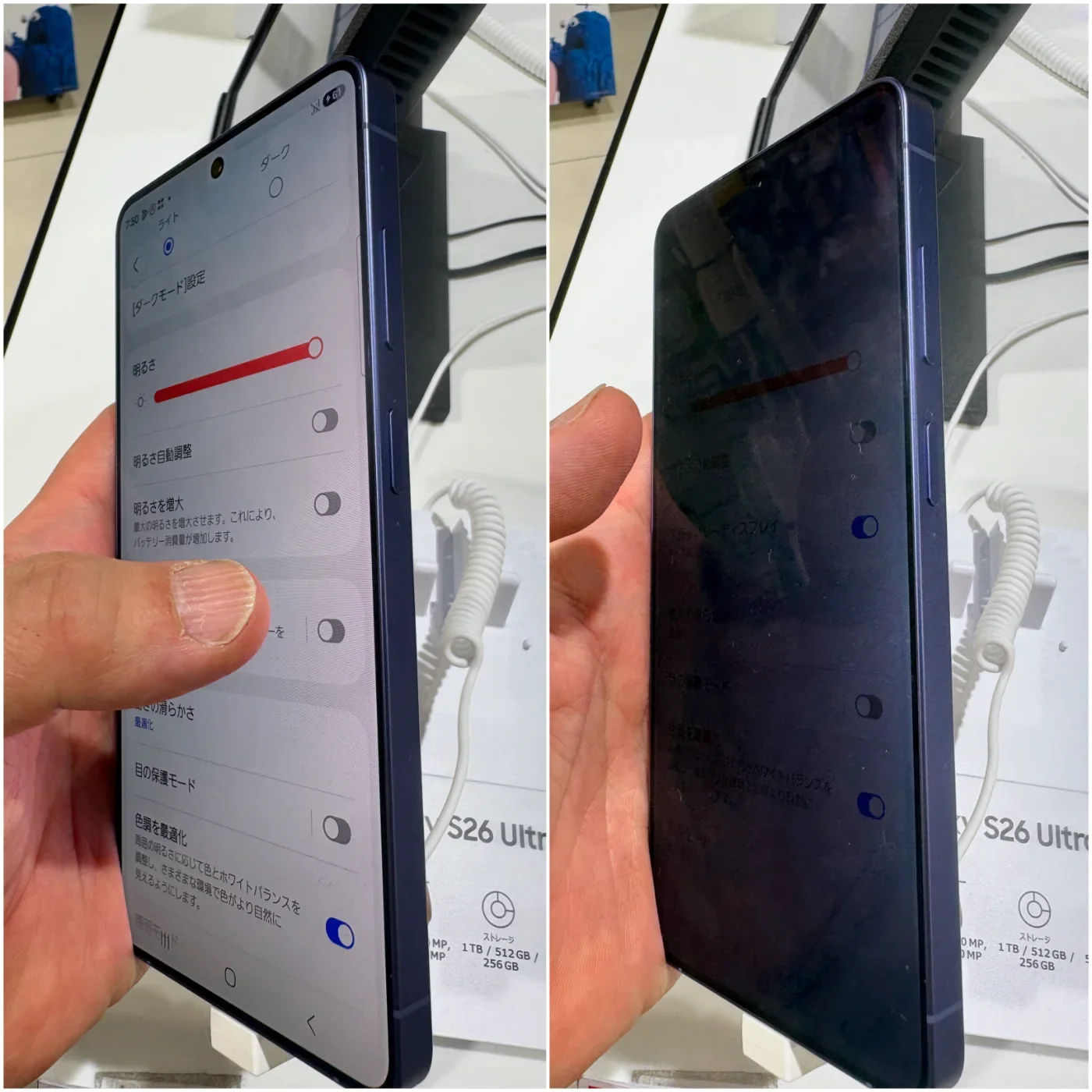
Samsung describes Privacy Display on Galaxy S26 Ultra as reducing visibility from side angles while keeping the screen readable straight on. Its setup guide explains how to enable it in Quick Panel or configure it for particular apps and sensitive entry screens. Samsung's setup guide.
The everyday benefit to investigate is straightforward: you may feel more comfortable opening a private message on a train or checking an appointment in a waiting room. That is our use-case interpretation. It is not a finding that the feature prevents someone nearby from seeing all screen content.
How would you evaluate the benefit?
- Pick a realistic setting. Use the brightness and text size you normally choose, then ask a trusted person to look from different seats and angles while you display harmless sample information.
- Choose which apps need the feature. Compare an always-on configuration with activation for a small set of sensitive tasks. The best setup is one you can understand and reliably use.
- Check comfort as well as concealment. Read a longer message yourself, move the phone as you normally would and decide whether the viewing experience fits your routine.
Another useful feature: screening unknown calls
Samsung also describes Call Screening on the S26 series: an assistant can ask an unknown caller to identify themselves and display a transcript before you answer. Availability and supported languages need checking for your region. Feature descriptions and conditions.
For someone interrupted by frequent unfamiliar calls, that suggests a more informed choice about when to answer. Try it with a consenting friend first. Check how a name, an accent and background noise appear in the transcript rather than assuming perfect recognition.
Does the attention justify an upgrade?
Samsung reported U.S. S26 series preorders nearly 25% above the prior generation, with Ultra accounting for 80% of those preorders. That is manufacturer-reported launch demand from March, not evidence that the device is today's fastest-growing topic. Preorder report.
Interest is a reason to explain a product, not a reason to recommend it to everyone. Compare the privacy and calling benefits with your current phone, the upgrade cost and the camera tasks you actually perform. We have not tested this device or ranked it against iPhone.
Research notes
Sources & what we checked
Official documentation checked on October 23, 2026. Features and terms may change. The workflow suggestions and fit assessments are our editorial interpretation, not measured performance results.